1qqq App –
Android APK for Bangladesh
Take 1qqq with you everywhere. The app gives you cricket betting, live casino, slots, and fast deposits via bKash or Nagad — all from your Android phone. Download the APK file directly; no Play Store needed.
- Safe APK
- Android 6.0+
- bKash & Nagad
- 24/7 Support
- 18+
Scan to download on Android
App vs Browser: Side-by-Side
Both options work in Bangladesh. The app is optimised for lower data usage and push alerts for match results. Here is exactly what differs — so you can pick what fits your routine.
| Feature | Android App (APK) | Mobile Browser | Desktop Browser |
|---|---|---|---|
| Push notifications for cricket results | Yes | No | No |
| Works offline (bet slip saved) | Yes | No | No |
| bKash & Nagad quick deposit | One-tap | Standard form | Standard form |
| Live score widget on home screen | Yes | No | No |
| Full game library access | All 5,500 games | All 5,500 games | All 5,500 games |
| Fingerprint / PIN login | Yes | No | No |
| Data usage per session | Lower | Standard | Standard |
| Live casino with dealer camera | Yes | Yes | Yes |
| Deposit minimum | ৳150 on all platforms | ||
| Deposit arrival time | ~2 minutes on all platforms | ||
The app does not replace your account — your balance, history, and bonuses are shared across all platforms. You can switch freely.
Version Details & System Requirements
The 1qqq app is kept lean so it runs well on budget Android devices common in Bangladesh — no high-end phone required. Check the table before you download.
| App Version | 3.6.12 |
|---|---|
| File Name | 1qqq.apk |
| File Size | 36 MB |
| Minimum Android Version | Android 6.0 (Marshmallow) or higher |
| Last Updated | 5 November 2026 |
| Price | Free |
| Languages | English, Bangla |
| iOS support | Web app via Safari (Add to Home Screen) |
| Storage needed after install | ~90 MB (with cache) |
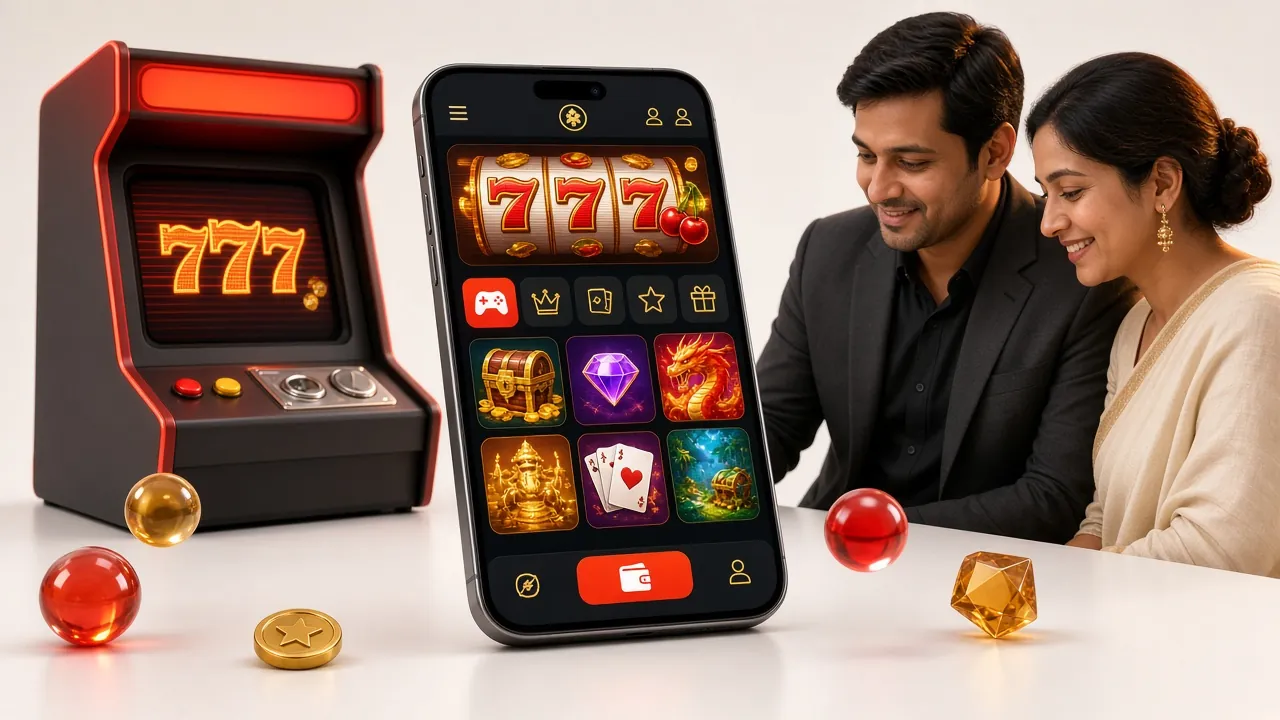
What You Can Do Inside the 1qqq App
The app is not a stripped-down version. Every feature from the website is available, plus a few extras that only work on the native app.
Cricket & Sports Betting
Bet on BPL, IPL, T20 World Cup, and ODIs live. In-play odds update in real time. Place bets during the over without leaving the app. Push alerts notify you when a wicket falls or the market shifts.
Slots & Crash Games
Access all 5,500 games from PG Soft, Playtech, FA Chai, Spribe, JDB, and Sexy Gaming. Load times on 4G are under three seconds. Crash games like Aviator-style titles run smoothly even on mid-range handsets.
Live Casino with Dealer
Sexy Gaming's live tables stream HD dealer video directly into the app. Play Baccarat, Roulette, and Dragon Tiger on match nights when you want something different from sports. No extra plugin needed.
bKash, Nagad & Rocket Deposits
The deposit screen pre-fills your bKash or Nagad number if you have saved it. Send ৳150 minimum and funds arrive in roughly 2 minutes. The same speed applies to Rocket, Upay, and Bank Transfer.
Bonuses & VIP Dashboard
Your 190% first deposit bonus, daily cashback at 0.8%, and VIP tier progress are all visible on one screen. Track wagering completion, claim available bonuses, and check your referral earnings — no browser needed.
24/7 Live Chat Support
Tap the chat icon from any screen to reach the support team. Available around the clock for deposit issues, game queries, and withdrawal status. Response time is typically under two minutes during peak hours.
Featured Games Available in the App


Security & App Permissions
The APK is built and signed by 1qqq's development team. It requests only the permissions it actually needs — nothing hidden, no access to your contacts or camera unless you use live chat video.
256-bit SSL Encryption
All data between the app and the 1qqq servers is encrypted using TLS 1.3. Your account balance, transaction details, and personal information are protected in transit. The certificate is verified automatically on each launch.
Biometric Login
After your first login, you can set up fingerprint or face unlock on supported Android devices. This means you never have to type your password on a shared device. You can disable it any time from account settings.
Minimal Permissions
The app requests internet access, storage (to save the APK update), and optional notification permission. It does not read your SMS, contacts, or location. You can deny notifications and the core app still works fully.
Official APK — Not a Clone
Only download from 1qqq.guru/download/1qqq.apk. Third-party app stores sometimes host modified copies. The official file is signed with 1qqq's certificate; your Android will warn you if the signature does not match.
How to Install the 1qqq APK on Android
Android blocks APK files from outside the Play Store by default. You need to allow it once — only for this install. Follow these steps in order.
-
Allow Installation from Unknown Sources
Open Settings → Apps → Special App Access → Install Unknown Apps (exact path varies by Android version). Find your browser — Chrome or any browser you use to download — and toggle "Allow from this source" to ON. You can turn this off again after installing.
-
Download the APK File
Tap the Download APK button on this page or go to 1qqq.guru/download/1qqq.apk in your browser. The file is 36 MB and downloads over mobile data or Wi-Fi in under a minute on a standard Bangladesh mobile connection. Wait for the progress bar to complete before proceeding.
-
Open and Confirm the Install Prompt
Pull down your notification bar and tap the downloaded 1qqq.apk file. Android shows a confirmation screen listing the app permissions. Tap Install. The process takes about 10–15 seconds. You will see "App installed" when it finishes.
-
Log In or Create Your Account
Tap Open on the install confirmation, or find the 1qqq icon on your home screen. If you already have an account, enter your username and password. New players should tap Register — the full sign-up takes about 2 minutes and you only need a phone number and bKash/Nagad details.
-
Make Your First Deposit and Claim the Bonus
Go to Deposit → bKash (or Nagad, Rocket, Upay, Bank Transfer). Enter at least ৳150 — the minimum deposit. Your first deposit unlocks the 190% welcome bonus up to ৳19,500. Funds appear in roughly 2 minutes. The bonus is credited automatically; check the Bonus tab for the wagering progress.
iPhone & iOS: Add 1qqq to Your Home Screen
Apple does not allow APK files. iOS users can get a near-native experience using Safari's "Add to Home Screen" feature. The web app supports all account features.
Open Safari on your iPhone and go to 1qqq.guru. Chrome and Firefox on iOS do not support Add to Home Screen.
Tap the Share icon (the square with an upward arrow) at the bottom of the Safari toolbar.
Scroll the share sheet and tap "Add to Home Screen." Edit the name to "1qqq" if you like, then tap Add.
The 1qqq icon now appears on your home screen. Tap it to open in a full-screen browser window — no address bar, no tabs. It behaves like an app.
iOS web apps do not support push notifications for cricket scores. For live alerts, Android is the better choice.
Download the 1qqq APK
Only download from this page. Do not use third-party APK mirror sites. If your antivirus flags the file, it is a false positive caused by the APK's self-update feature — a known behaviour with gambling apps.
Common Installation Problems & Fixes
Most issues happen on the first install. Here are the five problems players in Bangladesh run into most often, with the exact fix for each.
| Problem | Likely Cause | How to Fix It |
|---|---|---|
| "Install blocked" message | Unknown sources permission not enabled for your browser | Go to Settings → Apps → Special App Access → Install Unknown Apps. Find your browser (e.g., Chrome) and enable "Allow from this source." Then tap the APK file again. |
| "App not installed" error | An old version of the 1qqq app is already on the phone, or the APK file downloaded incompletely | Uninstall any previous 1qqq app from your phone first. Then delete the APK from your Downloads folder and re-download from 1qqq.guru. Check you are on a stable connection — mobile data works fine, but avoid downloading during network congestion. |
| App crashes on launch | Android version below 6.0, or low storage space | Check your Android version: Settings → About Phone → Android Version. If it is 5.x or below, the app will not run — use the mobile browser instead. If Android is 6.0+, free up at least 150 MB of storage and restart your phone before retrying. |
| Blank white screen after launch | Weak internet connection during first load, or app cache corrupted | Make sure you have a working mobile data or Wi-Fi connection. If the screen stays blank after 10 seconds, go to Settings → Apps → 1qqq → Storage → Clear Cache and reopen. If the problem continues, uninstall and reinstall the latest APK. |
| APK flagged by antivirus | Antivirus heuristics treating the self-update mechanism as suspicious | This is a false positive. The 1qqq APK includes a built-in update checker, which some antivirus tools flag without scanning the actual code. You can proceed safely if you downloaded from 1qqq.guru directly. Add the app to your antivirus whitelist to stop the alert. |
Still stuck? Open live chat after logging in or email [email protected]. The support team is available 24/7.
Questions About the 1qqq App
Is the 1qqq APK safe to install on my Android phone?
Yes. The APK is built and code-signed by 1qqq's own team. It is served over HTTPS from 1qqq.guru, so the file cannot be tampered with in transit. The app requests only internet, storage, and optional notification permissions — it has no access to your SMS, contacts, or camera unless you start a live chat video call. If your antivirus flags it, that is a false positive caused by the self-update feature, which is standard in apps distributed outside the Play Store. Download only from 1qqq.guru to be sure you have the genuine file.
Why can't I find 1qqq on the Google Play Store?
Google Play does not host real-money gambling apps for Bangladesh-based users, so 1qqq distributes the APK directly from its website instead. This is the same approach used by most licensed betting platforms operating in Bangladesh. The direct APK is not a workaround — it is the standard distribution method. You simply need to allow installations from unknown sources in your Android settings once, then disable it again after installing.
How do I update the 1qqq app when a new version is out?
The app checks for updates automatically when you open it. If a new version is available, a banner appears at the top of the screen with an "Update Now" button. Tapping it downloads the new APK in the background and installs it without you leaving the app. Your account data, saved bets, and deposit history are not affected. If automatic update does not trigger, you can manually download the latest APK from this page and install it over the existing version — no uninstall needed.
Can I use the app to deposit via bKash without opening bKash separately?
Yes. The 1qqq app has a direct bKash integration. Go to Deposit → bKash, enter the amount (minimum ৳150), and the app sends a bKash payment request to your registered number. Approve it in your bKash app or via the USSD PIN prompt — you do not need to copy any merchant number or type a reference code manually. Nagad and Rocket work the same way. Funds arrive in roughly 2 minutes.
What happens to my bonus if I register through the app?
Bonuses are tied to your account, not the platform you register on. Whether you sign up on the app, mobile browser, or desktop, the same 190% first deposit bonus up to ৳19,500 applies. The wagering requirement is 24×. After registration, the Bonus tab in the app shows your current progress. The daily 0.8% cashback and referral bonus of ৳300 per friend are also tracked there. There is no app-exclusive bonus separate from the main offer.
What do I do if the app won't install and shows "Parse error"?
A "Parse error" means the APK file is damaged or incomplete. This usually happens when the download was interrupted by a poor connection. Delete the existing file from your Downloads folder, make sure you have a stable connection — Wi-Fi is safest — and download the APK again from 1qqq.guru. If the error continues, try a different browser (use Chrome instead of the default Samsung browser, or vice versa). If you are on Android 5.x, the app does not support your version; use the mobile website instead.
Does the 1qqq app work on a low-budgetAndroid phone like Symphony or Walton?
Yes. The app is specifically optimised for mid-range and budget devices common in Bangladesh, including Symphony, Walton, and similar brands. As long as your phone runs Android 6.0 or higher and has at least 150 MB of free storage, the app will install and run. Games load quickly even on 3G. If your phone has less than 2 GB RAM, avoid keeping many other apps open at the same time while playing live casino streams, as the video feed is the most resource-intensive part.
- Games Available
- 5,500
- Welcome Bonus
- 190%
- Min Deposit
- ৳150
- Withdrawal Time
- ~32 min
Gambling is for adults only. Set deposit limits and time limits inside the app under Account → Responsible Gaming. If gambling stops being fun, visit our Responsible Gaming page for self-exclusion options.